激光打标机维护常识及故障分析
Today, packaging plays an increasingly vital role in product marketing, with the market demanding more and higher-level functions and responsibilities from it.

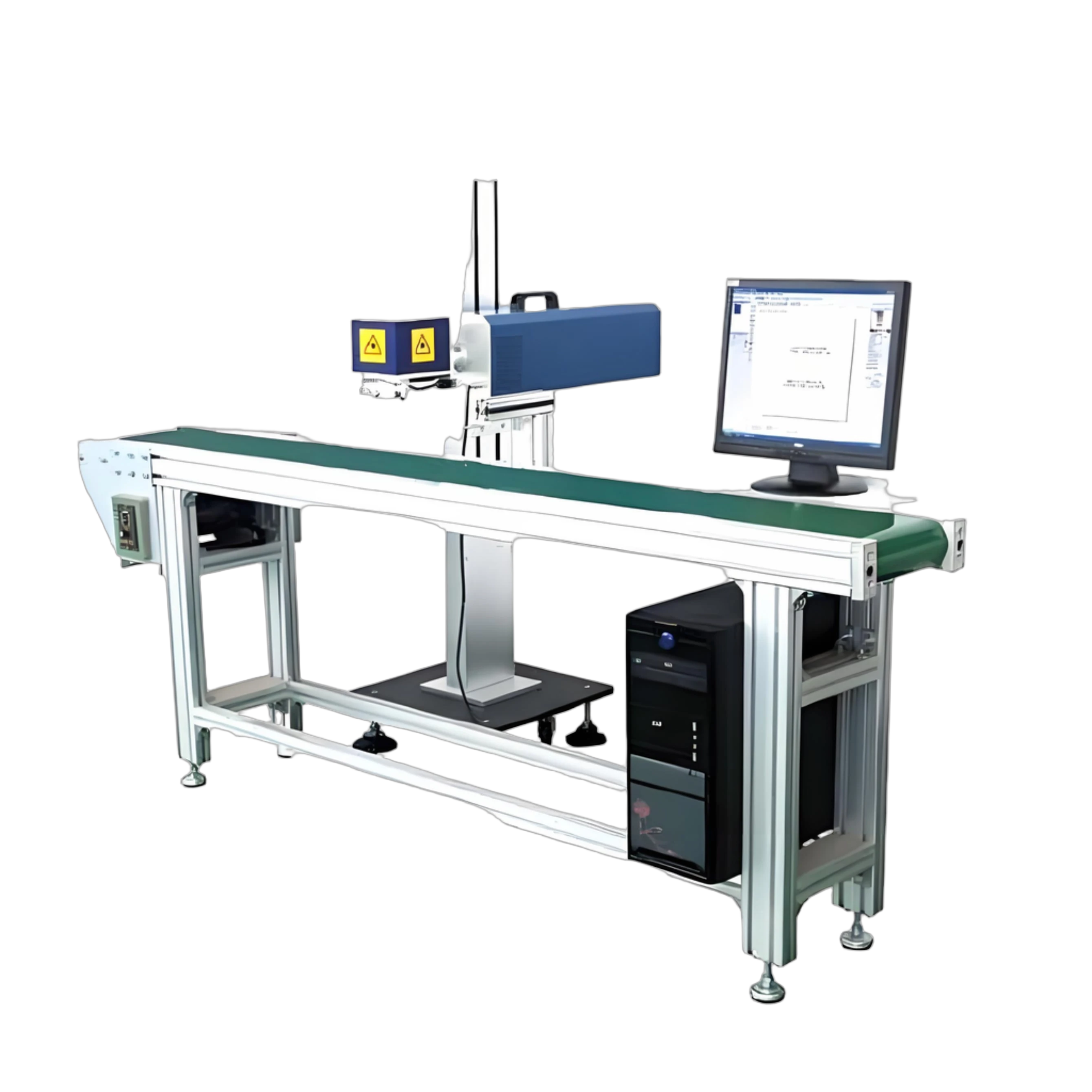
Today, packaging plays an increasingly vital role in product marketing, with the market demanding more and higher-level functions and responsibilities. Many packages have become integral parts of the products themselves. Critical information such as production dates, batch numbers, and regulatory codes—essential components of packaging—are now subject to stricter marking standards. Using laser marking machines to encode and label packaging significantly enhances its texture and premium appeal, boosting the product's added value.
激光打标机应用的广泛度,赢得了很多的客户忠诚度和满意度。那么对激光打标机的使用方法,我们有一些小窍门与大家来分享下。
1、如何加快激光打标机的打标速度
The X-axis width should exceed the Y-axis width to enable faster bidirectional movement of the laser head, thereby increasing marking speed. When engraving dot matrix patterns, reducing the resolution can further accelerate processing. For vector graphics, increasing line spacing also improves speed. Additionally, engraving and cutting depth are directly proportional to power and inversely proportional to speed: at a fixed power level, higher speeds result in shallower depths, while lower speeds yield deeper cuts. To minimize processing time, optimize both speed and power settings.
How to prevent defects with 2 laser marking machines
通常激光打标机有预览功用,刀模切开机应首先用预览功用调查激光打标机的打标规模是不是准确,再正式进行加工。
3: Laser marking machine has no laser output
First, check if the laser marking machine's laser switch is ON, if there is water inside the laser unit, and if the cooling fan of the laser power supply is running. If none of these are the issue, please contact a qualified laser marking machine technician. Do not attempt to repair it yourself.
4 - Laser Marking Depth Inconsistency
This is caused by misalignment of the internal laser beam path in the marking machine. Simply recalibrate the flying optical path to correct it.
5: Laser marking font distortion
Check if the laser marker's guide rail sliders are damaged, if the belt is loose, and if the set screws on the motor and synchronous pulleys are loose.
6: Issues with erratic laser marking
The laser marking machine casing is not grounded, which may damage the motherboard or cause poor contact in the data cable.
7: Laser marking depth is insufficient
Please inspect the lenses of the laser marking machine. They may be too dirty; clean them and realign the optical path from scratch.
Recommended News